Multi-user remote desktop for Windows.

Give multiple people separate Windows sessions on one host. Join the beta waitlist to try PrimalDesk from a browser or desktop client.

In development. Getting ready for you.

Join the waitlist for development updates and launch news. We’ll randomly invite people from the list to early beta tests. Joining doesn’t guarantee an invitation.

Color-critical work

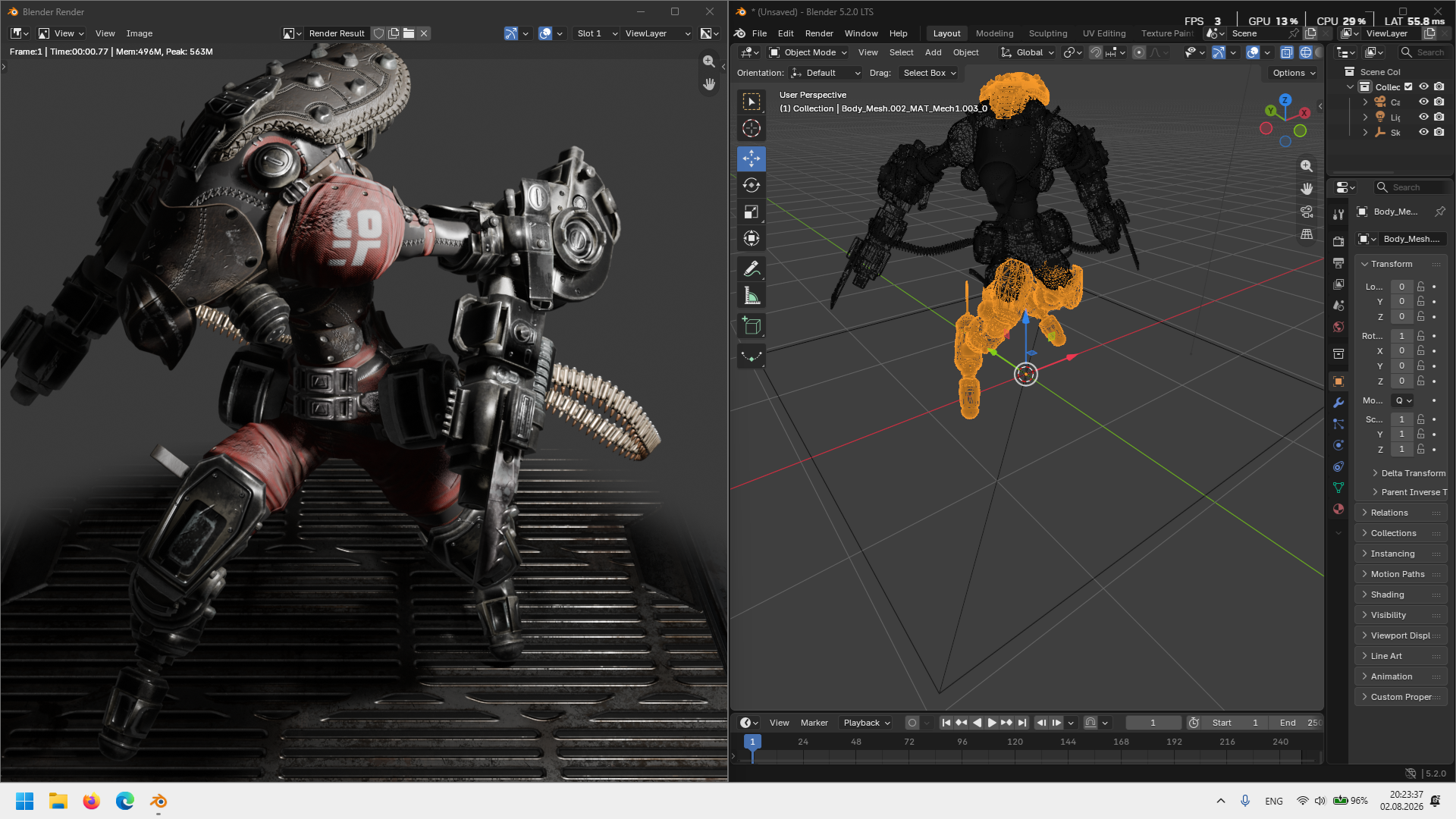
Use Blender, CAD and design apps remotely

Keep a color-rich Blender, CAD or engine workflow close even when the workstation is somewhere else. Hardware video, 10-bit paths where supported, and client-side cursor presentation keep the interface readable and responsive.
Explore color and input
Blender rendering and viewport on two virtual Windows monitors
Games and QA

Play games and test controls remotely

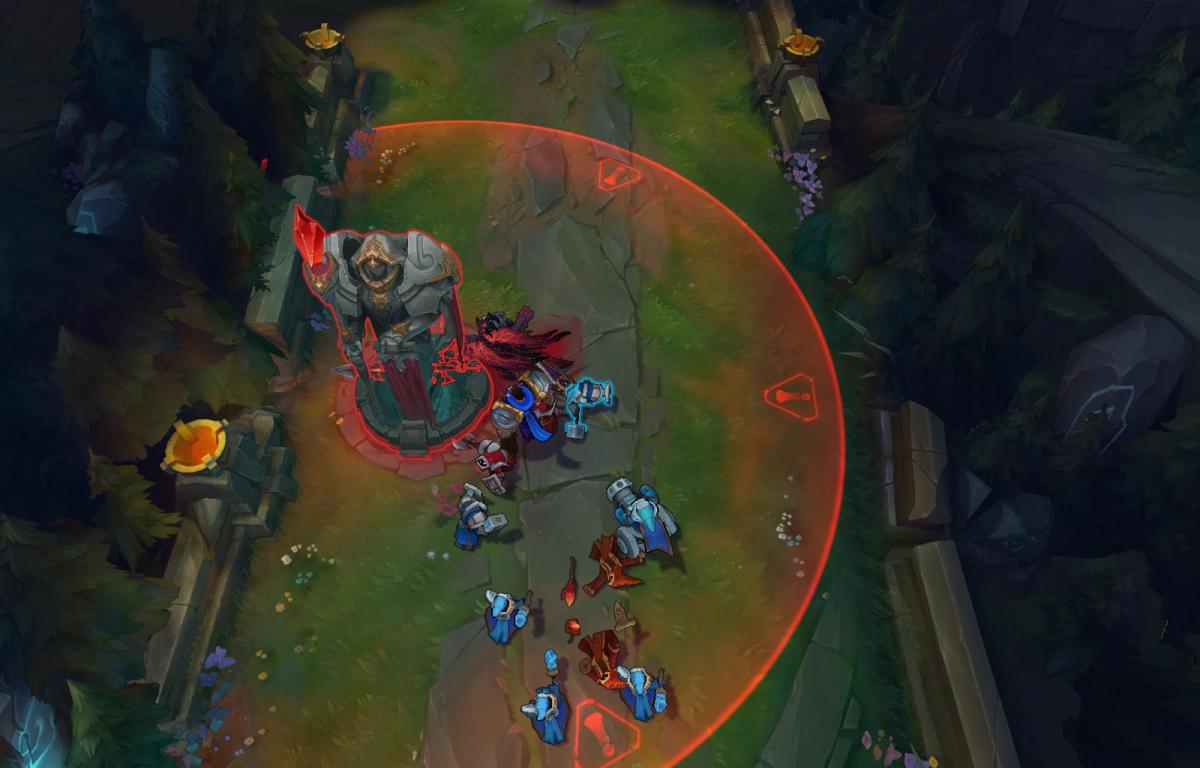
Absolute cursor mode removes the familiar delayed, jelly-like pointer in cursor-driven games and tools. Relative mode takes over automatically when a title requests raw mouse movement for a camera or first-person view.

Explore gaming
League of Legends gameplay showing a selected tower and its attack radius
Everyday VDI

Access your Windows apps from a browser

Open line-of-business software, development tools and frequently changing interfaces from a browser. Adaptive resolution and a low-overhead zero-copy path keep the workspace practical for ordinary daily use.

See platform features
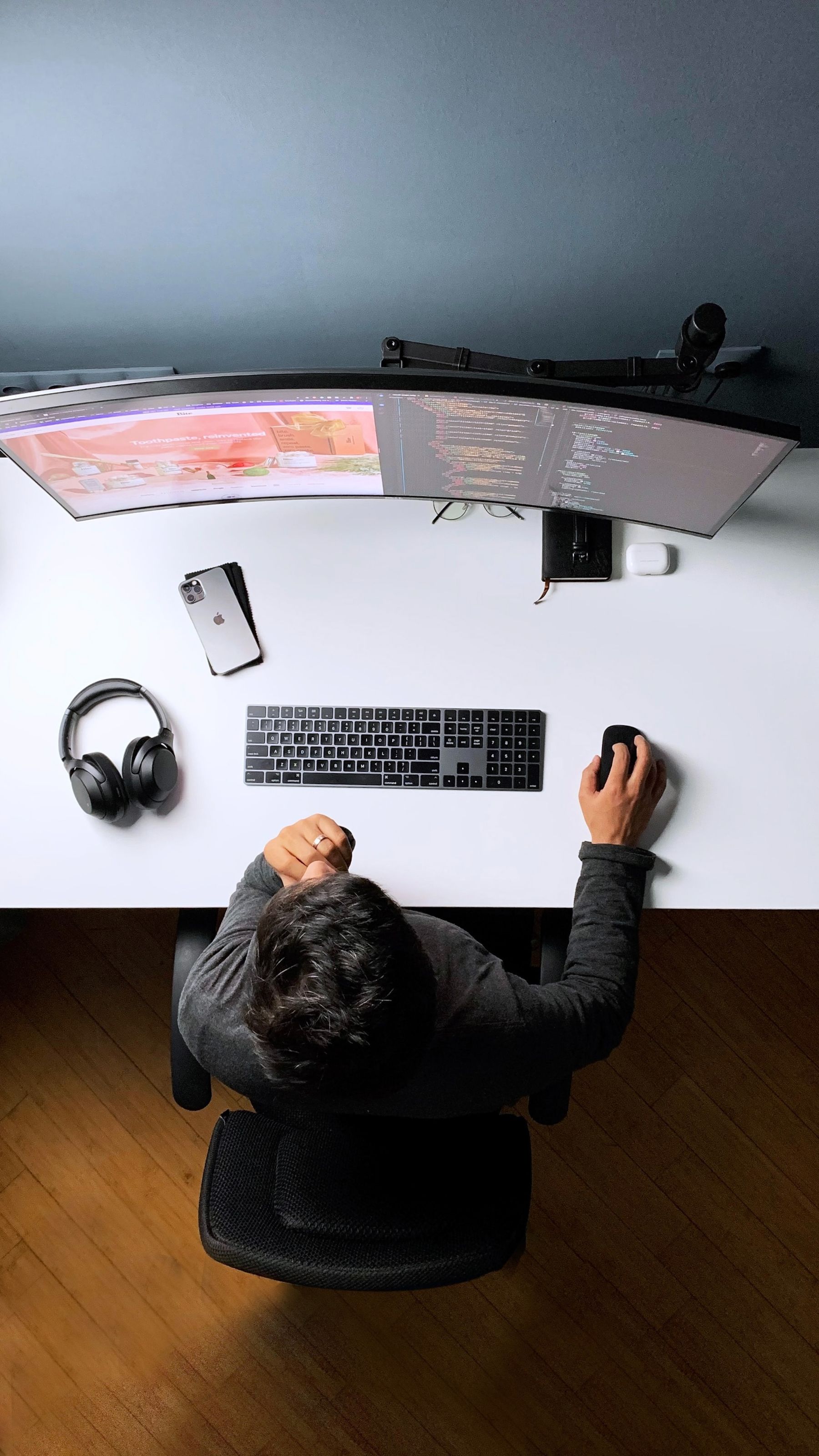
A wide multi-monitor workstation used for software development
Coding

Read code clearly on your remote PC

Use the editor, terminal and development tools already installed on your Windows PC. HEVC 4:4:4 preserves fine color detail for crisp image quality, including syntax highlighting and small text.*

* Limited hardware support. Requires a supported host GPU and client decoder.
Computer monitor showing a code editor
Time distribution

Local frame pipeline

3.2 msNetwork RTT excluded
CaptureDesktop frame acquisition
0.35 ms
GPU hand-offZero-copy texture path
0.18 ms
EncodeHardware video encoder
1.12 ms
PacketizePreparing the frame for delivery
0.27 ms
PresentDecode and browser presentation
1.28 ms
Private by architecture

Private remote sessions

PrimalDesk brokers identity and authorization, while desktop video, audio and input remain encrypted between the client and host.

One coherent host stackMultiple users, separate Windows sessions.
Virtual displays
HDR and 10-bit
Low-latency input
Adaptive resolution
Hardware encoding
Encrypted P2P
All features

Questions?
We’re glad you asked.

PrimalDesk is currently in development and testing. Join the early-access list on this page for beta access and launch news. Public pricing and payments are not available yet.

No. PrimalDesk does not sell or validate Microsoft licenses. Microsoft may require appropriate Windows Server and Remote Desktop Services client access licenses for multi-user deployments; the organization operating the host is responsible for its own licensing compliance.
Read Microsoft’s RDS CAL guidance ↗

Session video and input travel over an encrypted peer-to-peer connection between the client and your host. PrimalDesk brokers identity and short-lived connection authorization, but does not receive the contents of the desktop stream.

A modern browser is available on most devices, so you can reach an authorized Windows session without installing a separate viewing app. A native desktop client is available when you prefer one.

Network round trip, host capture, hardware encoding, decoding, presentation and input mode all contribute. PrimalDesk keeps queues short and prioritizes current frames over frames that are already obsolete.

Yes. The host creates virtual displays, and Workspace can keep the primary monitor in the main window while opening other monitors in separate browser windows.

Planning a custom Windows deployment?

Talk through licensing, hardware, rollout constraints or a tailored offer.